A cloud migration does not stop the business if it is done in phases: inventory and dependencies, priorities, tests in a parallel environment, a cutover in an agreed window, a rehearsed rollback plan and follow-up afterwards. Long outages usually come from a dependency nobody had written down or from a rollback that was never tested.
We should say where we have an interest: BDR Group offers managed cloud through Andorra Cloud, with a data centre in Andorra, and migrating data and services is part of the service. The guidance below comes from published migration frameworks and applies with any provider.
What phases does a cloud migration have?
The migration frameworks of the large cloud providers agree on the outline, and we use them only for their concepts. AWS describes it in three phases (assess, mobilise and migrate) and Microsoft in five steps (plan, prepare, execute, optimise and decommission the source). For a small or medium-sized business we translate it like this:
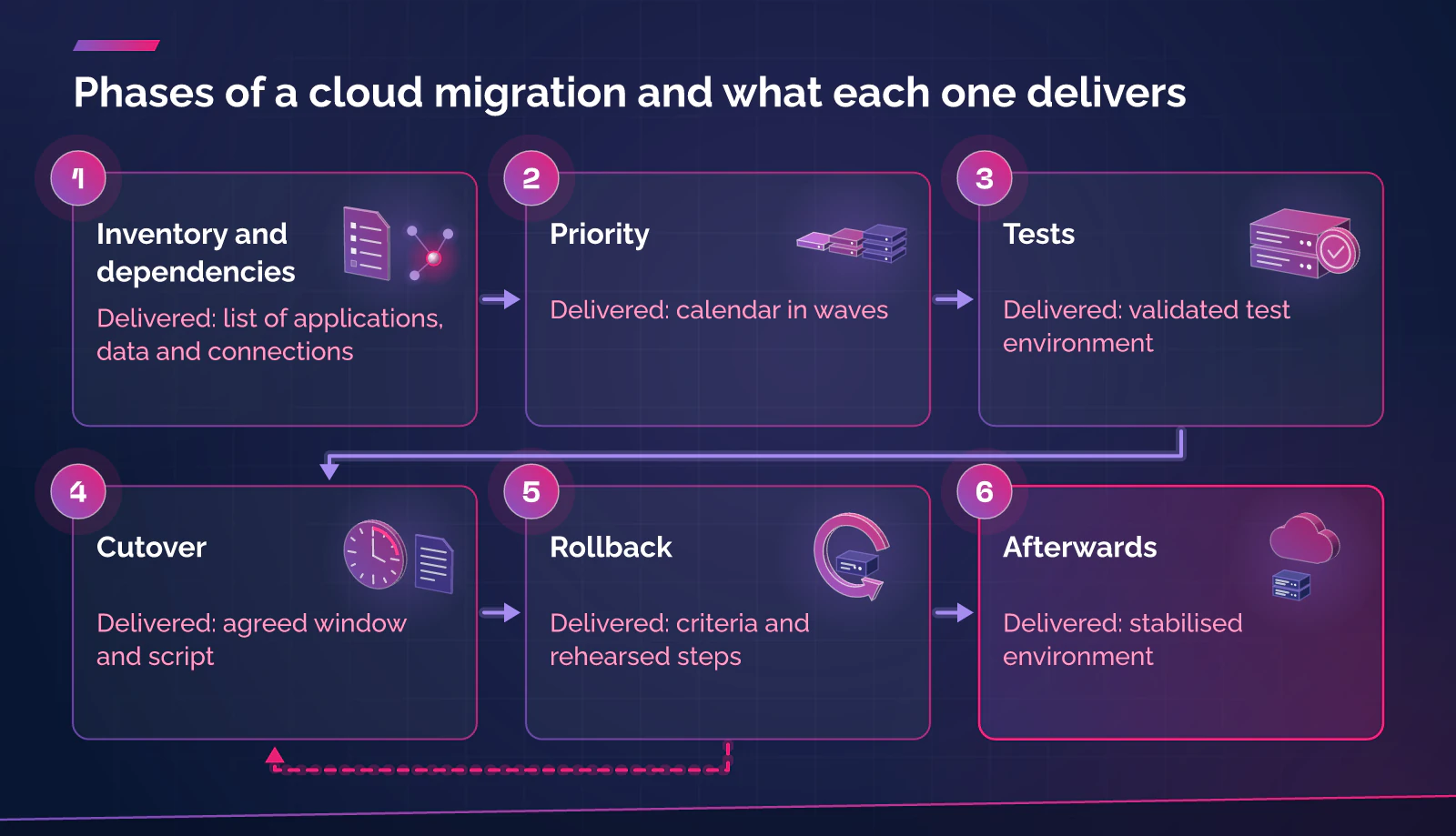
| Phase | What is decided | What is delivered |
|---|---|---|
| 1. Inventory and dependencies | What exists, what depends on what and which data is personal | List of applications, data and connections |
| 2. Priority | In what order each thing is moved | Calendar in waves |
| 3. Tests | Whether everything works at the destination before touching production | Validated test environment |
| 4. Cutover | When and how users move to the new system | Agreed window and script |
| 5. Rollback | When the change is undone and how | Criteria and rehearsed steps |
| 6. Afterwards | Follow-up, backups, costs and decommissioning of the source | Stabilised environment |
Inventory and dependencies: what you need to know before touching anything
The inventory is the least visible part and the one that prevents the most outages. Microsoft distinguishes three types of dependency: direct (they need immediate communication and low latency), indirect (occasional interactions) and business (organisational relationships). It recommends grouping workloads that share a database, API, authentication or network and moving them together, also when there is doubt about whether a dependency is critical.
What is worth writing down:
- Servers and applications, with the person responsible for each and what happens if they go down.
- Data: volume, location and whether it includes personal data.
- Connections: DNS, email, certificates, VPN, third-party integrations and scheduled tasks.
- Authentication and user accounts.
- Current backups and who knows how to restore them.
INCIBE (Spain’s national cybersecurity institute) also recommends deciding beforehand which data can go to the cloud, with an information classification policy. That classification answers the legal question: where personal data may be.
Priority: what moves first
Google Cloud’s guide to planning waves proposes ordering applications by value and effort. The first wave should consist of non-critical applications, with few dependencies, no special compliance requirements and tolerance for a cutover window. Microsoft adds moving development and test environments first, which serve to rehearse the process, and including one or two complex workloads in each early wave to uncover problems early.
Dates matter too. Microsoft advises avoiding financial closings, product launches and peak seasons. In Andorra and Catalonia that means looking at your own calendar: the ski and tourist seasons, retail campaigns, and tax and accounting closings. A cutover that is a nuisance in October can be lost sales in December.
Tests: data, connections and restoration
Before the cutover, everything has to be tested at the destination with a real copy. Microsoft recommends validating data integrity (counting rows is a quick check; for deeper validation, checksums and hashes), testing the application end to end, with reports, integrations and backup validation, and having those responsible for each process confirm that it works. It helps if the people who use the system every day test it: otherwise the first Monday will.
The cutover window: short downtime or almost none
Microsoft describes two methods. Migration with downtime is simpler, because it does not require real-time synchronisation, and suits workloads that tolerate a planned interruption. The near-zero-downtime method keeps the service running with continuous data replication, but it is more complex and must be tested beforehand. In our view, for most small and medium-sized businesses a planned window of a few hours, at night or at the weekend, is simpler and safer; replication only pays off for systems that cannot stop.
A typical cutover script, according to Microsoft’s guidance:
- Freeze changes at the source, with a procedure for emergency ones.
- Stop writes and carry out the final synchronisation.
- Validate data and critical functions.
- Redirect traffic (DNS and load balancers).
- Watch performance, errors and user access for the first 24 to 48 hours.
The Azure Kubernetes Service documentation adds two precautions that hold in general: prepare to lower the DNS TTL at least 24 to 48 hours before the cutover (for example, to 30 seconds) and have the TLS certificates ready at the destination before moving traffic.
Rollback plan: written before the cutover
A rollback plan lets you decide calmly at three in the morning. Microsoft asks you to define with the business what a failed deployment is (health checks, performance, security, metrics not met), with specific thresholds, and to test the reversal steps in a test environment. It recommends keeping the source available as a fallback during stabilisation, with the ability to revert DNS, and having in writing who has the authority to order the rollback. One limit: DNS caches mean the rollback is not instant until the TTL expires.
Internal communication: who knows what and when
According to Microsoft, before the cutover a calendar should be distributed with the time, expected impact, responsibilities, contingencies and contacts, confirming that technical support is available for the whole window and holding a prior review with the support teams. In practice: each person should know what changes at their workstation (access, network drives, printers), whom to call if something fails and when the migration is considered closed. Success is announced only after it has been validated with those responsible for each process.
After migrating: what often gets left for later
- Follow-up and reinforced support in the first days, and an inventory updated with the new environment.
- Backups of the new system. ENISA (the EU Agency for Cybersecurity), in its cloud security guide for SMEs, warns that the provider may not make automatic backups of all data and that you need to assess which ones it makes and whether you need your own. Configure them and test a restore.
- Costs. The same guide recommends checking how the service scales with use and what it costs, and cites unexpected bills from forgotten servers left running or from data transfers.
- Decommissioning the source only when the stability criteria are met. INCIBE includes secure deletion among the measures for information.
- Exit plan. ENISA recommends plans for moving to another provider, regular backups in a standard format and periodic tests that the migration works.
Main risks and how they are reduced
| Risk | How it shows | What reduces it |
|---|---|---|
| Forgotten dependency | A function fails after the cutover | Complete inventory and tests with those responsible |
| Different data between source and destination | Amounts or records that do not match | Writes stopped, final synchronisation, checksums |
| Cutover longer than planned | The window ends and the migration does not | Rollback deadline set beforehand |
| DNS cache | Some users stay on the old environment | Low TTL set 24 to 48 hours in advance |
| Provider dependence | Leaving costs time and money | Standard formats and a tested exit plan |
In Andorra and Catalonia: the legal side
If the migration includes personal data, the cloud provider is a data processor: a written contract is needed, with documented instructions and control of sub-processors (Article 31 of Andorra’s Llei 29/2021 on personal data protection; Article 28 of the General Data Protection Regulation, GDPR, in the EU). Article 35.1(c) and (d) of Llei 29/2021 asks for the ability to restore access to data quickly and to verify regularly that the measures work: the restore test after the migration demonstrates this.
Location conditions transfers. An Andorran company can contract a cloud in the EU without a specific formality, because Llei 29/2021 considers the member states adequate (Article 43.2); other countries require an adequacy decision or safeguards (Articles 42 to 44). In the other direction, the European Commission concluded on 15 January 2024 (COM(2024) 7 final) that Andorra continues to offer an adequate level of protection: a company in Catalonia can migrate data to an Andorran data centre with the corresponding processor contract.
What to do now
- Make an inventory of applications, data, connections and owners, and mark what contains personal data.
- Classify the information: what can go to the cloud and under what conditions.
- Choose a simple first workload and a test environment, and set the calendar outside your peak season.
- Write and rehearse the cutover script and the rollback plan, with criteria and a deadline.
- Communicate the calendar to the team and define who decides, on the day of the cutover, whether to continue or to undo.
Frequently asked questions
Can you migrate to the cloud with no interruption at all?
There is one route, continuous replication with a final cutover of a few minutes, but it is more complex and must be tested. For many companies it is reasonable to accept a short, planned stop, announced in advance.
How long does a migration take?
It depends on the inventory, the volume of data and the dependencies. None of the frameworks we consulted sets general timescales, and we do not give any either: they are calculated once the inventory is done.
What do we do if the cutover goes wrong?
The criteria in the plan are applied, you go back to the source system, which has been kept, and you check that everything works. Afterwards you analyse what failed before testing again.
Do we need to tell customers?
If the cutover may affect a service they use, yes, in advance. If there is an incident involving personal data, the notification deadlines of data protection law apply as well.
Sources
- Amazon Web Services. AWS Prescriptive Guidance, "Strategy for migrating applications to the AWS Cloud": overview of the assess, mobilise and migrate phases (official documentation, for concepts). Accessed: 25 October 2026. https://docs.aws.amazon.com/prescriptive-guidance/latest/strategy-migration/overview.html
- Microsoft. Cloud Adoption Framework, "Plan your migration" (ms.date 1 August 2025, updated 25 March 2026). Accessed: 25 October 2026. https://learn.microsoft.com/en-us/azure/cloud-adoption-framework/migrate/plan-migration
- Microsoft. Cloud Adoption Framework, "Execute migration to cloud" (ms.date 1 August 2025, updated 1 October 2026). Accessed: 25 October 2026. https://learn.microsoft.com/en-us/azure/cloud-adoption-framework/migrate/execute-migration
- Microsoft. "Zero-Downtime Migration to Azure Kubernetes Service (AKS)" (26 August 2026), sections on DNS TTL and certificates. Accessed: 25 October 2026. https://learn.microsoft.com/en-us/azure/aks/zero-downtime-migration
- Google Cloud. Migration Center, "Plan migration waves". Accessed: 25 October 2026. https://docs.cloud.google.com/migration-center/docs/plan-migration-waves
- ENISA. Cloud Security Guide for SMEs. April 2015 (vendor dependence risk, backups, costs, questions SQ3 and SQ10). Accessed: 25 October 2026. https://www.enisa.europa.eu/sites/default/files/publications/Cloud%20Security%20Guide%20for%20SMEs.pdf
- INCIBE. Cloud: topic page for businesses (in Spanish; information classification, backups, secure deletion). Accessed: 25 October 2026. https://www.incibe.es/empresas/tematicas/cloud
- General Council of Andorra. Llei 29/2021, del 28 d’octubre, qualificada de protecció de dades personals (Qualified Law 29/2021 of 28 October on personal data protection; in Catalan), Articles 31, 35 and 42 to 44. BOPA no. 119, 17 November 2021. Accessed: 25 October 2026. https://www.apda.ad/assets/pdf/CGL20211115_08_58_32.pdf
- European Parliament and Council. Regulation (EU) 2016/679 (GDPR), Article 28. OJ L 119, 4 May 2016. Accessed: 25 October 2026. https://eur-lex.europa.eu/legal-content/EN/TXT/?uri=CELEX:32016R0679
- European Commission. Report on the first review of the adequacy decisions, COM(2024) 7 final, 15 January 2024, section 4.1 (Andorra). Accessed: 25 October 2026. https://data.consilium.europa.eu/doc/document/ST-5454-2024-INIT/en/pdf
- BDR Group. Business cloud service page and Andorra Cloud website (description of the service). Accessed: 25 October 2026. https://andorracloud.ad/
Want to know where your infrastructure stands?
If you are considering a migration, start with the service page: Managed business cloud in Andorra. The services in detail are at Andorra Cloud, which offers a free cloud audit as a first step.